Navigate To Settings

Click on the Gear icon at the top right corner of the screen, next to your User Profile.
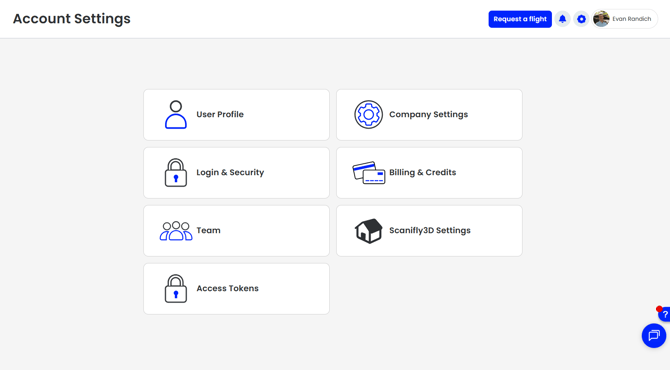
The Account Settings page on Scanifly.
![SCANIFLY-LOGO-Color-2022.jpg]](https://help.scanifly.com/hs-fs/hubfs/SCANIFLY-LOGO-Color-2022.jpg?height=40&name=SCANIFLY-LOGO-Color-2022.jpg)
Navigate To Settings
Click on the Gear icon at the top right corner of the screen, next to your User Profile.
The Account Settings page on Scanifly.