![SCANIFLY-LOGO-Color-2022.jpg]](https://help.scanifly.com/hs-fs/hubfs/SCANIFLY-LOGO-Color-2022.jpg?height=40&name=SCANIFLY-LOGO-Color-2022.jpg)
To get to the Roof Estimator Design settings, start by navigating to the Design Settings menu. Then, look for the Roof Estimator tab under the Estimator submenu.
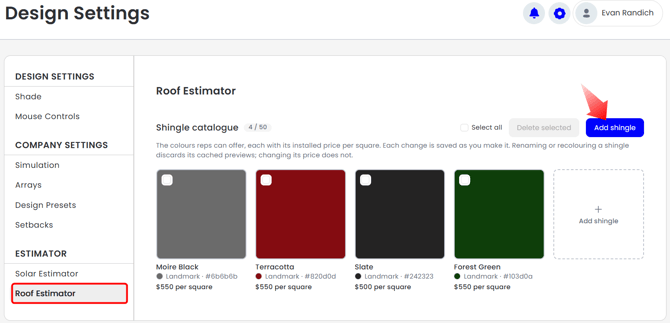
The Roof Estimator Design Settings let you add or remove shingle options for your roof estimates.
- Click the blue Add Shingle button on the right side.
- In the form that appears on the right side, choose your shingle photo.
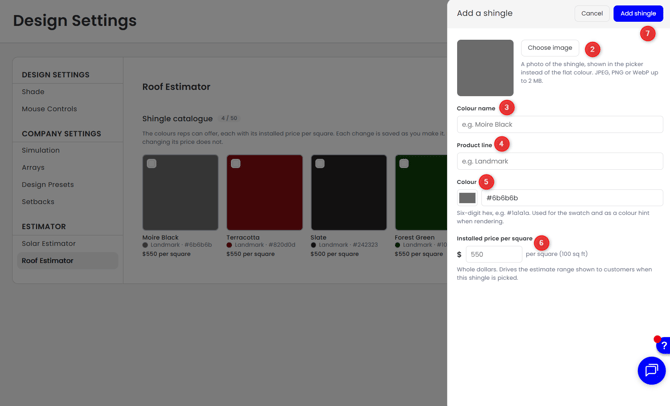
- Enter the color name.
- Enter the product line.
- Choose the color code or selector.
- Enter the installed price per square (100 sq ft).
- Click Add Shingle at the top right corner.
The new custom shingle now appears in your shingle catalog!
If you have any questions or need further assistance, please reach out to our chat support or email hello@scanifly.com.