![SCANIFLY-LOGO-Color-2022.jpg]](https://help.scanifly.com/hs-fs/hubfs/SCANIFLY-LOGO-Color-2022.jpg?height=40&name=SCANIFLY-LOGO-Color-2022.jpg)
How to Order a Design Service
- Begin by selecting the project you would like to have Design Services completed for.
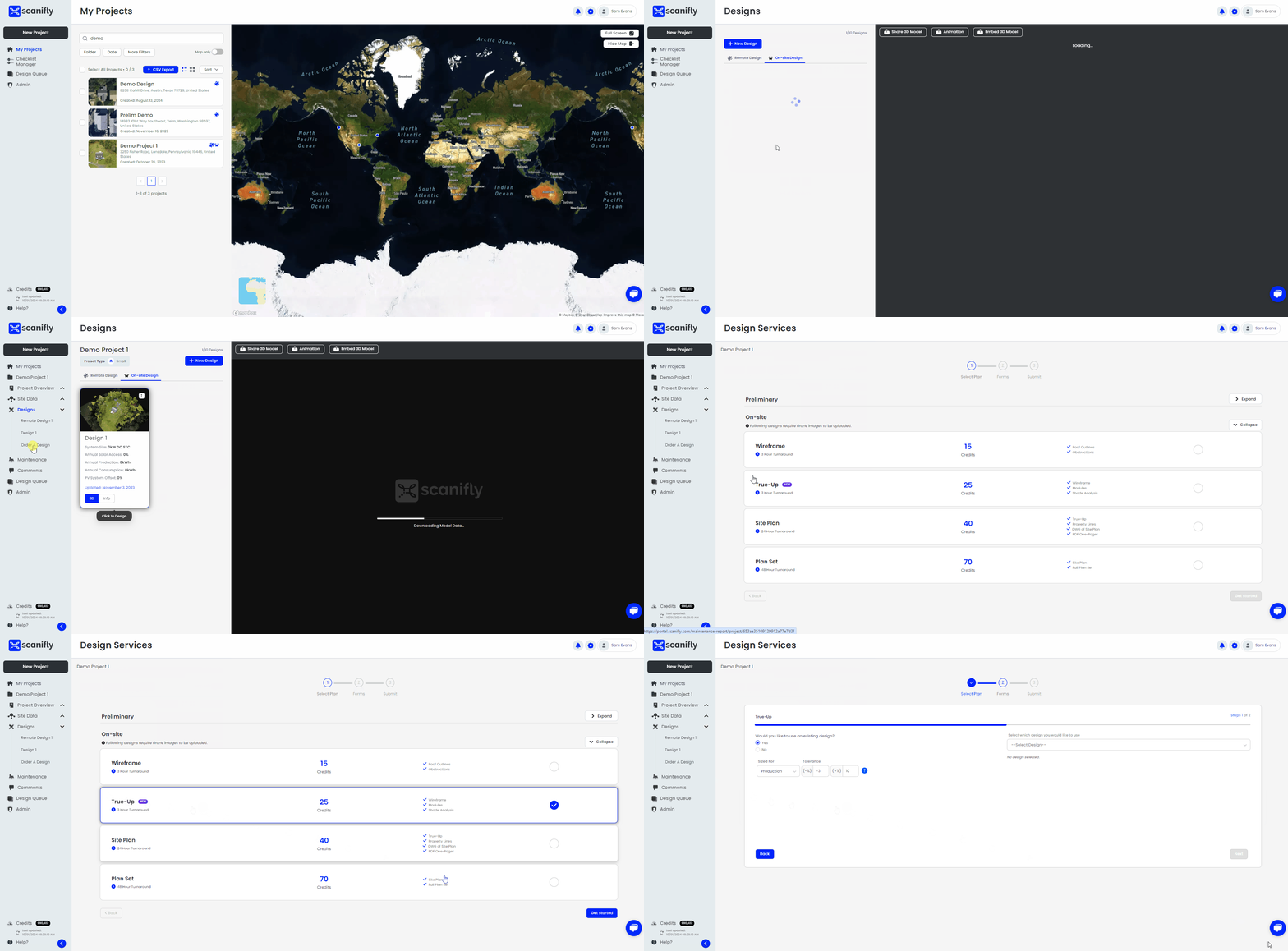
- Navigate to the "Order A Design" page found under the designs tab on the left.
- Select the offering you would like to have completed for your Scanifly project (to learn more information about each offering, please visit these articles: On-site Offerings and Preliminary Offerings).
- Proceed through the submission form entries and input all required information.
- Upon completing the submission, you will see a general confirmation page (to learn more about design stages for the Plan Set order, please visit this article: Request Services Design Stages).
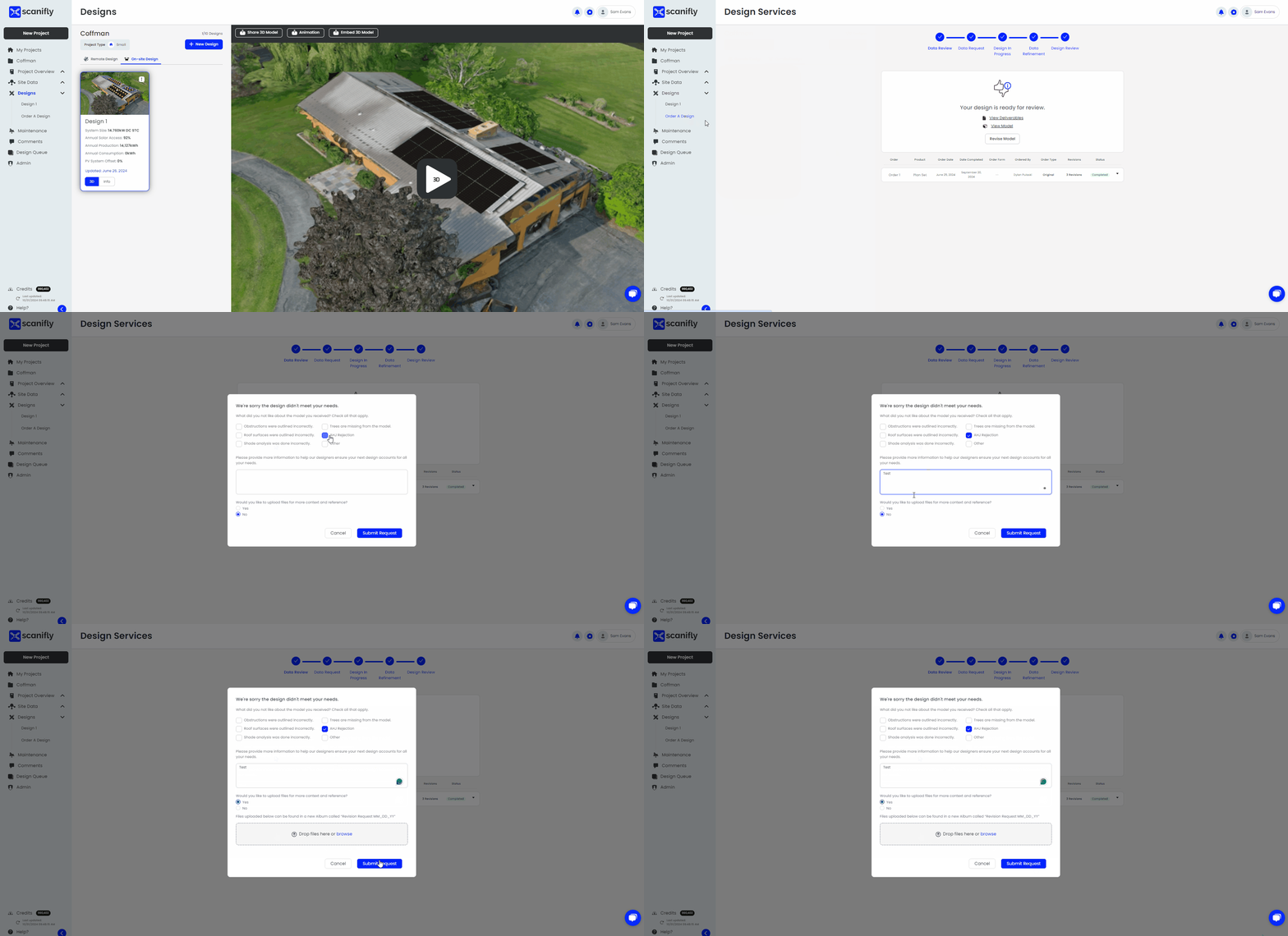
- Once the order has been completed, you will receive an email notification. If you navigate back to the "Request Services" page you will see an option to review the 3D model, review the deliverables (applicable to certain order types), and an option to revise the model/order.
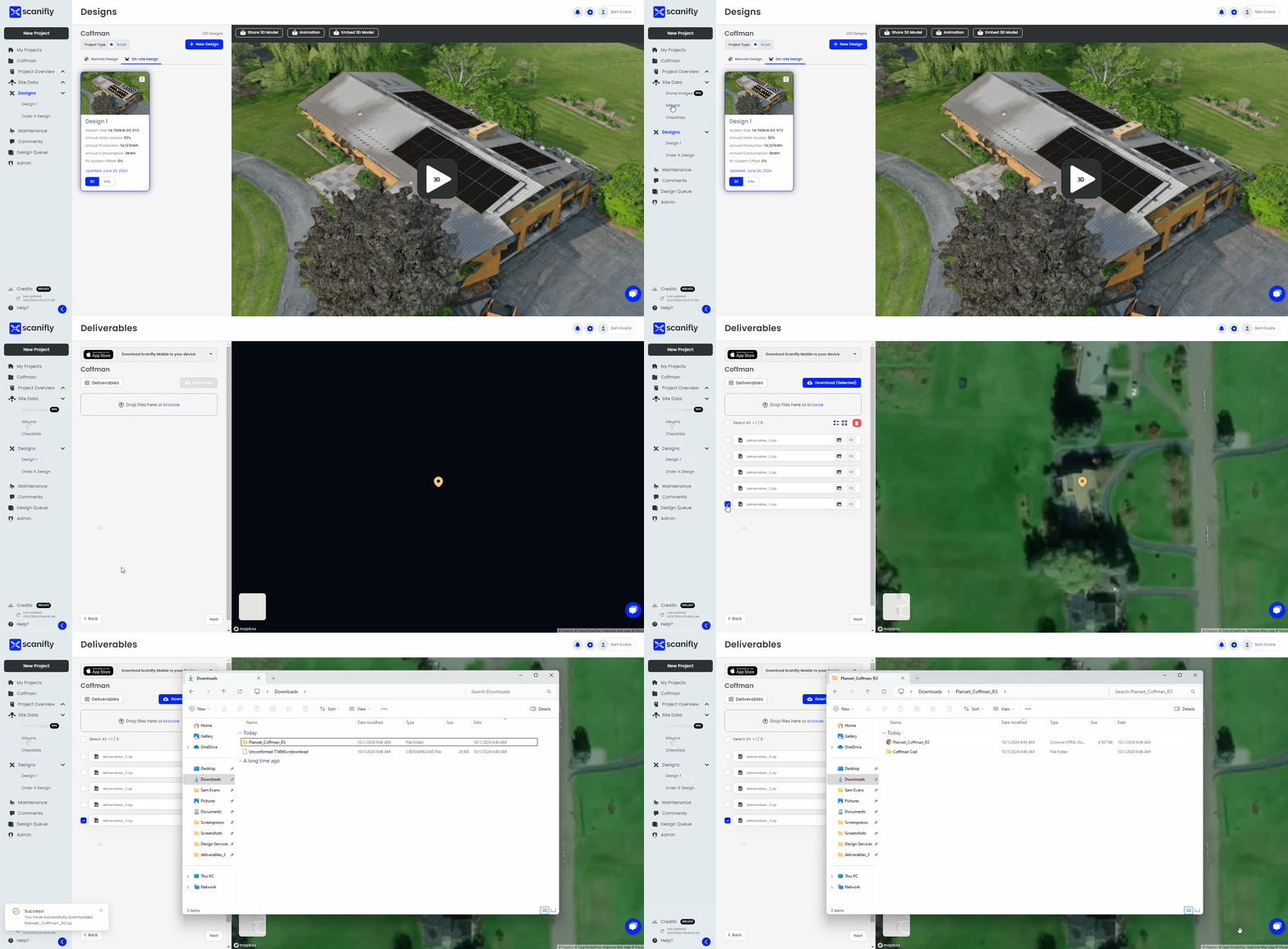
- To find the deliverables for your order, please navigate to the albums section found under the Site Data tab on the left. From there, select the album towards the bottom labeled "Deliverables".
- In the Deliverables album export, you will have both a PDF file and a folder with the .DWG/reference files.
- If there are any edits required to the completed order, please return to the "Request Services" page and hit the "Revise Model" button. Please detail in that form what edits are needed and upload any reference documents.
- Upon revision completion, you will get an email notification.
- For any general questions, please reach out to design@scanifly.com.