![SCANIFLY-LOGO-Color-2022.jpg]](https://help.scanifly.com/hs-fs/hubfs/SCANIFLY-LOGO-Color-2022.jpg?height=40&name=SCANIFLY-LOGO-Color-2022.jpg)
Important Note
Save changes before exporting.
Viewsheds and banner images per segment must be added before proceeding to export the shade report.
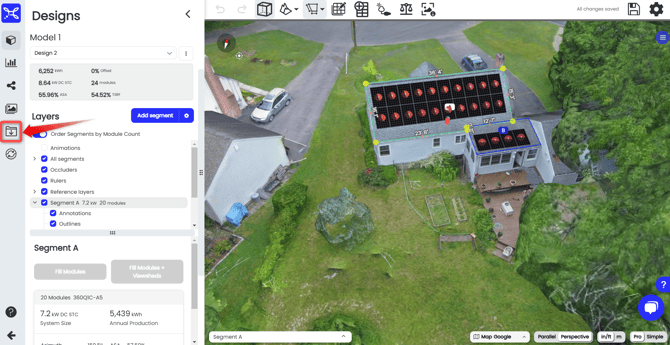
1. Click Exports
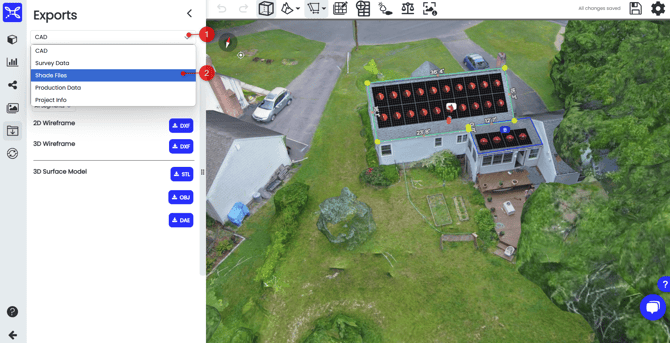
2. Click the dropdown menu and select shade files.
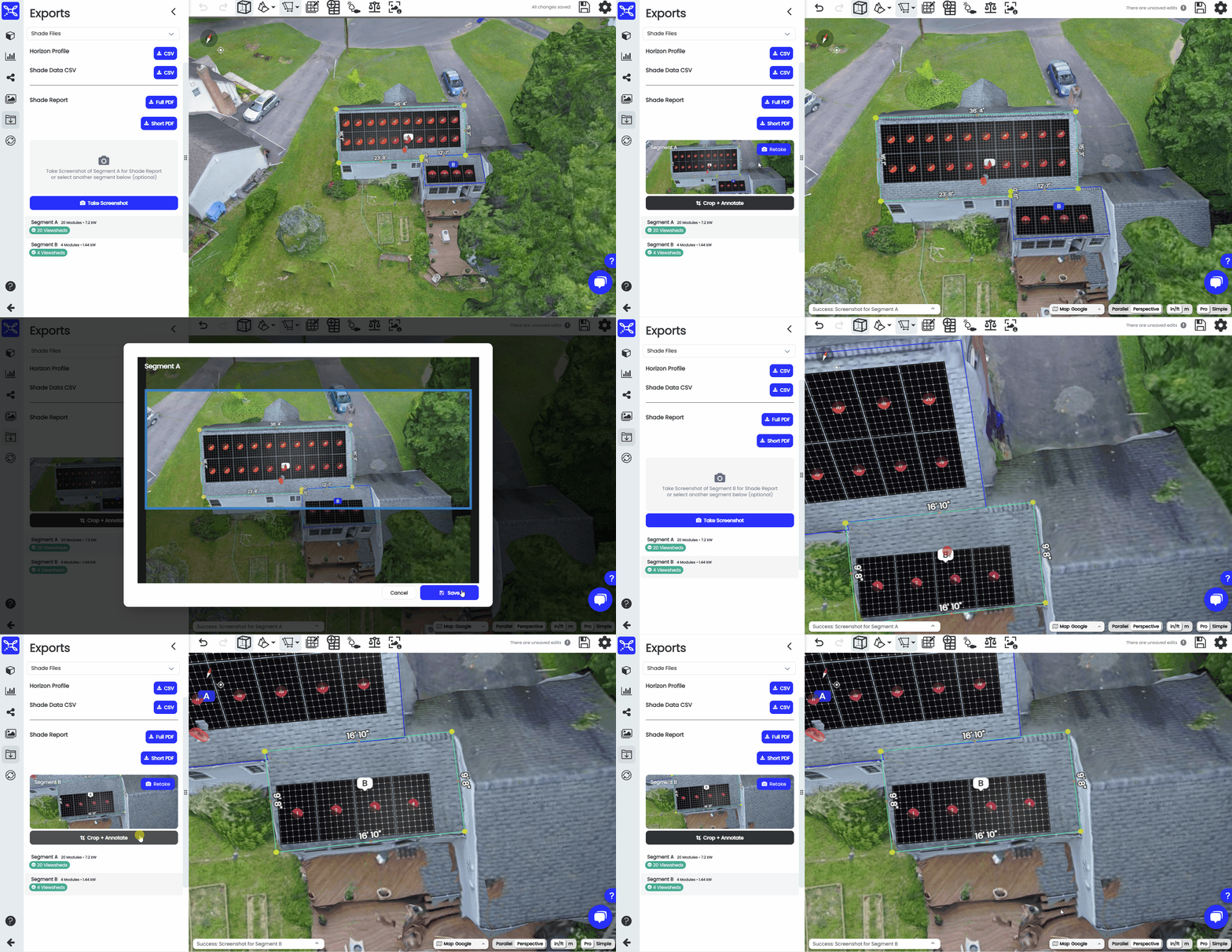
3. Take your header screenshots for each segment with viewsheds.
4. Choose Full PDF or short PDF
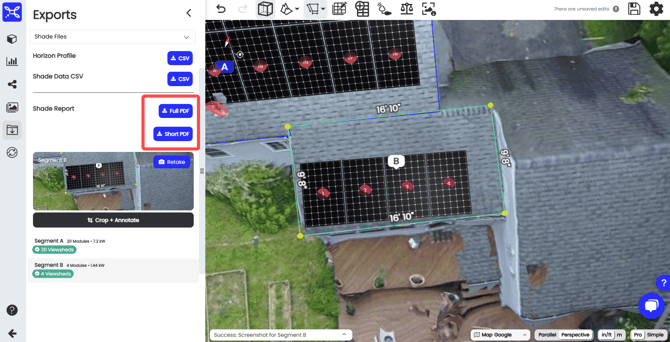
Your shade report will consist of a cover page, a summary page, the monthly estimated production including design data sources, production simulation details (loss totals, simulation preset used), the system losses summary, and then the data breakdown which will vary depending on whether you use the full or short shade report export.
Full PDF contains a breakdown of each viewshed in the shade report, and Short PDF contains just the Summary for each array. The Short PDF will download much quicker, and should be all you need if you are just trying to present an overview of the project shade data.