Skip to content
English
  • There are no suggestions because the search field is empty.

How to Open the Proposal Tool: Dashboard or Project


### Scanifly Proposal Tool
* Getting Started
    * Two Ways to Open the Proposal Tool: Dashboard or Project

##### Getting Started
### Two Ways to Open the Proposal Tool: Dashboard or Project
#### Learn the two entry points into the Proposal Tool and exactly which page each one takes you to.

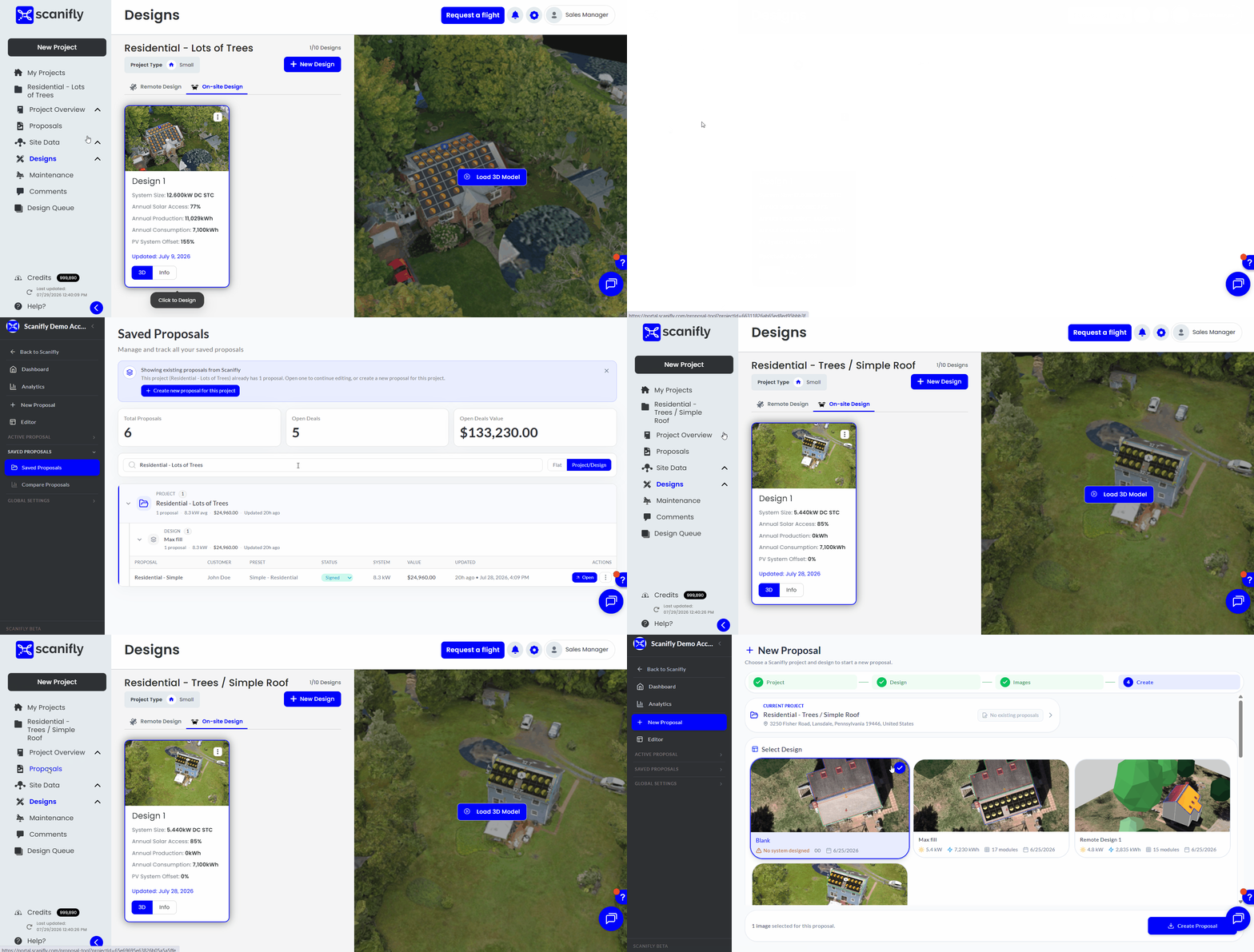
There are two ways into the Proposal Tool, and they do not always land you on the same page. This article shows you both, and explains the rule that decides where you end up.

---

##### 1. Open the Proposals Dashboard From the Homepage

From the Scanifly homepage, click **Proposals**. This is the best starting point when you want to review recent proposals or start a new one from scratch.
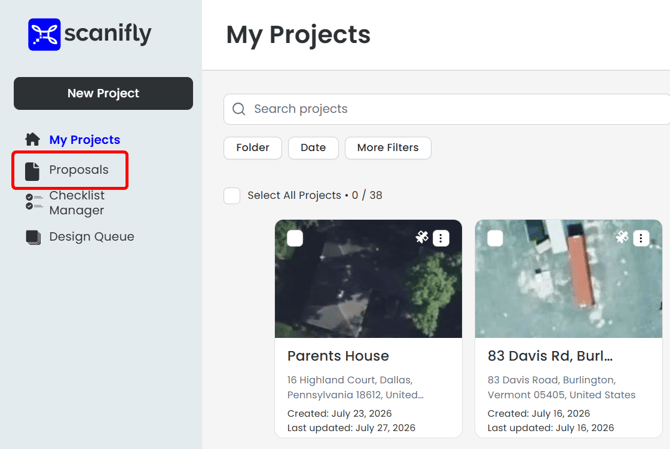
[Image: Screenshot of the Scanifly homepage with the Proposals navigation item highlighted]

---

##### 2. Open Proposals From Inside a Project

Finish your design work, then open **Proposals** from the project page. This is the best starting point when you have just wrapped up a design and want to build a proposal for it.
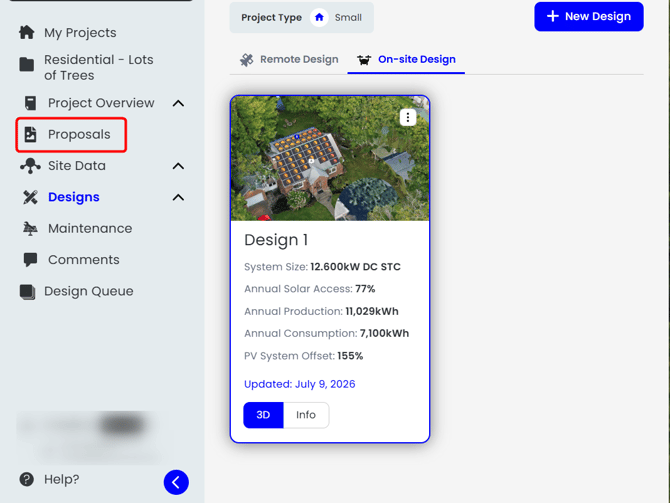
[Image: Screenshot of a project page with the Proposals entry point highlighted]

---

##### 3. Know Where You'll Land, and Why It Differs

Where you start determines which page opens.

| Where you start | Where you land | What that means |
|---|---|---|
| The Scanifly homepage, clicking Proposals | The proposals dashboard | Always the dashboard, no matter which projects have proposals |
| A project page, no proposal made yet for that project | New Proposal | You go straight into creating the first proposal for that project |
| A project page, saved proposals already exist for that project | Saved Proposals | You see the proposals you have already made for that project |

[Image: GIF showing the project entry routing, opening Proposals from a project with no saved proposal and then from a project with saved proposals]

---

For more information on Create a New Proposal from a Design, please see this support article: [link placeholder].

If you have any questions or need further assistance, please reach out to our chat support or email hello@scanifly.com.

---

## Draft Notes
*Not part of the published article.*

**Screenshot/GIF capture list:**
1. [Image: Screenshot of the Scanifly homepage with the Proposals navigation item highlighted]
2. [Image: Screenshot of a project page with the Proposals entry point highlighted]
3. [Image: GIF showing the project entry routing, opening Proposals from a project with no saved proposal and then from a project with saved proposals]

**Needs clarification:**
- None. The routing rule was confirmed in the plan's resolved-questions list, and the article claims nothing beyond it. A Pro Tip about starting a new proposal directly from the Saved Proposals page was drafted and then cut, because the outline does not confirm that control exists.

**Suggested cross-references:**
- A1 (Proposal Tool Basics and Key Concepts) should link here.
- B1 (Create a New Proposal from a Design) should link back here as the step before it.
- The proposals dashboard is also the natural entry point referenced by C1 (Generate, Preview, and Save a Proposal), which could link here.

**Product note, not a doc problem:**
- Per the plan, this routing is confusing enough that a tooltip or a clearer landing state would beat an article. Worth raising with product rather than relying on this page alone.