![SCANIFLY-LOGO-Color-2022.jpg]](https://help.scanifly.com/hs-fs/hubfs/SCANIFLY-LOGO-Color-2022.jpg?height=40&name=SCANIFLY-LOGO-Color-2022.jpg)
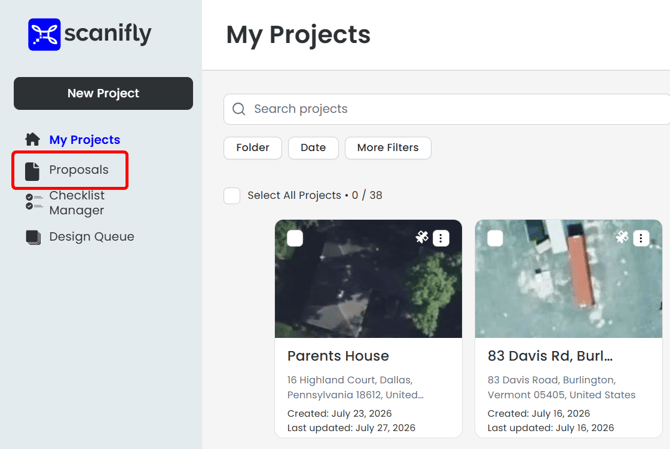
1. Open the Proposals Dashboard From the Homepage
From the Scanifly homepage, click Proposals.
The proposals dashboard opens, listing every proposal across your projects. This is the best starting point when you want to review recent proposals or start a new one from scratch.
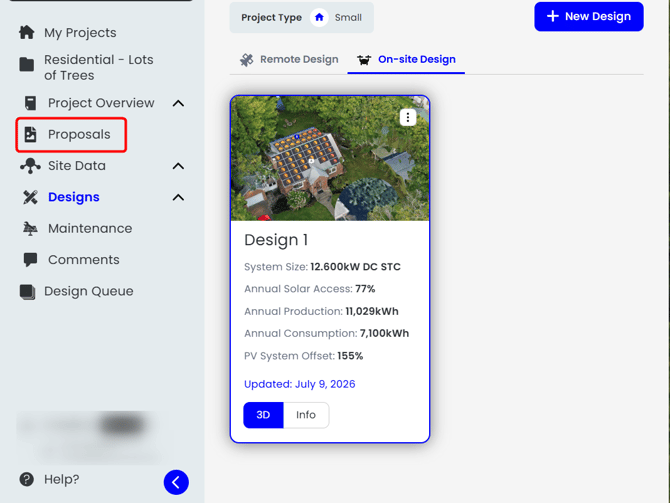
2. Open Proposals From Inside a Project
Open a project with a completed design, then click Proposals from the project page.
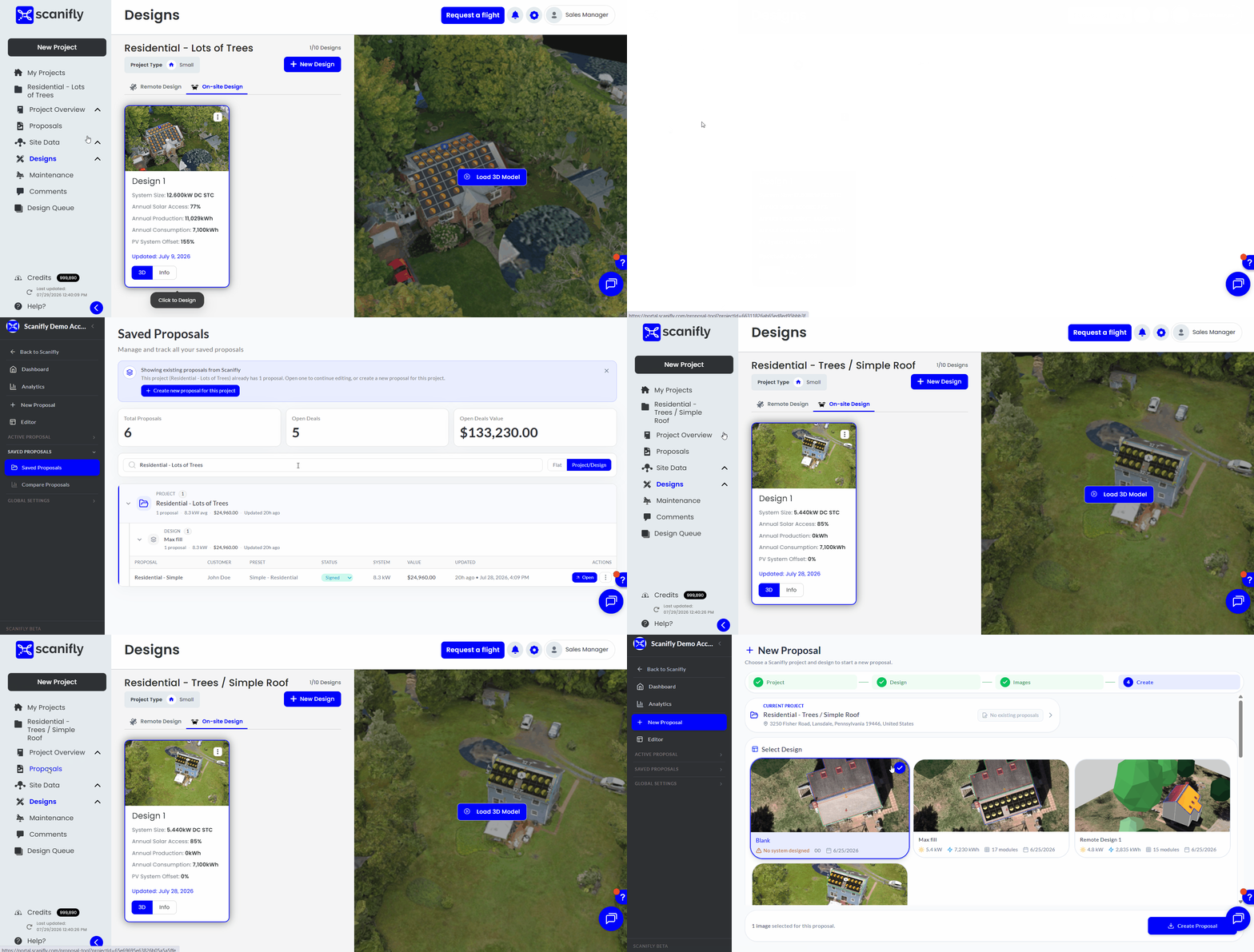
You land on New Proposal or Saved Proposals, depending on whether a proposal already exists for this project (see the table below). This is the best starting point when you've just wrapped up a design and want to build a proposal for it.
3. Know Where You'll Land, and Why It Differs
Where you start determines which page opens:
| Where you start | Where you land | What that means |
|---|---|---|
| The Scanifly homepage, clicking Proposals | The proposals dashboard | Always the dashboard, no matter which projects have proposals |
| A project page, no proposal made yet for that project | New Proposal | You go straight into creating the first proposal for that project |
| A project page, saved proposals already exist for that project | Saved Proposals | You see the proposals you've already made for that project |
For more information on the terms used above, see Proposal Tool Basics and Key Concepts.
For more information on Create a New Proposal from a Design, please see this support article.
If you have any questions or need further assistance, please reach out to our chat support or email hello@scanifly.com.