![SCANIFLY-LOGO-Color-2022.jpg]](https://help.scanifly.com/hs-fs/hubfs/SCANIFLY-LOGO-Color-2022.jpg?height=40&name=SCANIFLY-LOGO-Color-2022.jpg)
Generate a Solar Estimate lead
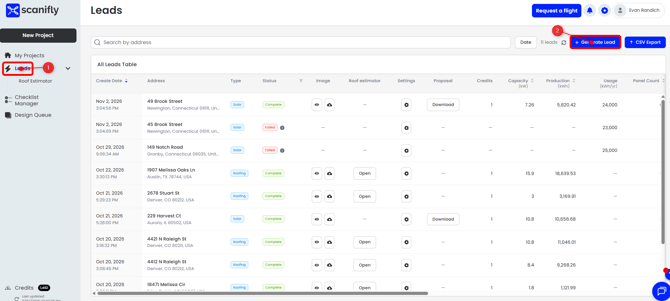
- Open the Leads table.
- Click +Generate Lead in the top right.
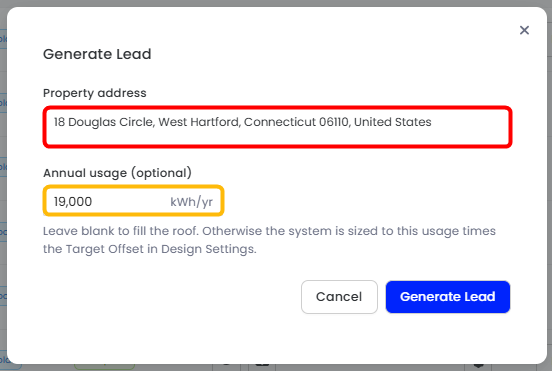
- Enter the property address.
- (Optional) Enter the electrical usage at that address, then click "Generate Lead"
- After you click Generate Lead, the Solar Estimator will begin working on a design for the address, built to the consumption if usage was added.
- If no usage was added, you will receive a max fill design for the address.
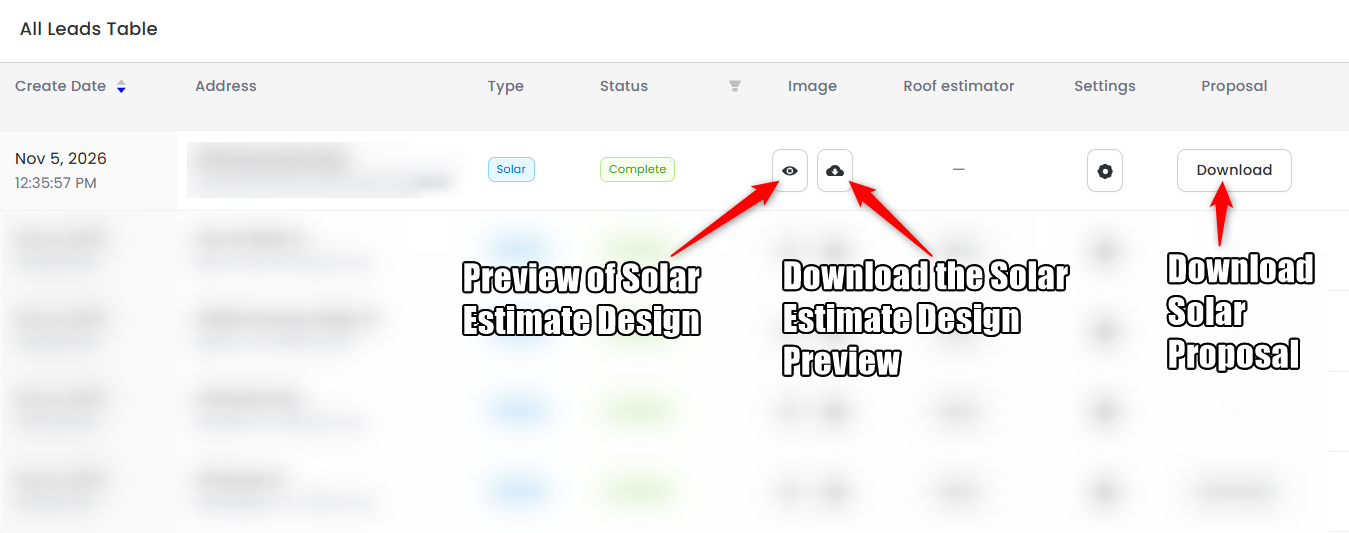
- Once complete, you will be able to view the design generated and download the one page proposal
- If you need to make any adjustments to the proposal metrics, navigate to the Solar Estimator Settings, or the Solar Estimator Design Settings.
If you have any questions or need further assistance, please reach out to our chat support or email hello@scanifly.com.